
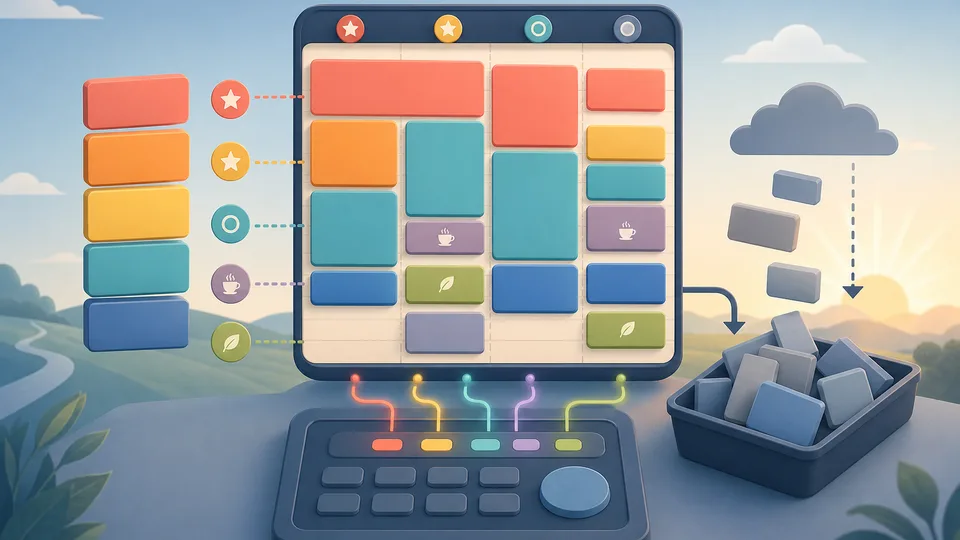
The problem with most task lists is that they do not admit time exists. They collect everything you could do, then quietly imply that all of it should fit into one day.
A useful day plan is different. It asks how long tasks will take, what matters most, where breaks belong, which fixed pauses cannot move, and what gets deferred when the maths does not work.
The Task Schedule Planner Calculator helps turn task durations, priorities, breaks, fixed pauses, and available work windows into a more realistic schedule. This article explains the planning logic before you use it.
Why task lists fail
A task list is a capture tool, not a schedule. It is good at remembering work, but weak at deciding what fits. Ten tasks can look manageable until you realise five of them need deep focus, two need setup time, and one has to happen before lunch.
The list also hides recovery time. People plan as if the day is one continuous block of attention. Real days include context switching, messages, small delays, breaks, food, travel, calls, and decision fatigue.
Estimate duration before priority
Priority matters, but duration comes first because it tells you what kind of space the task needs. A high-priority five-minute task and a high-priority two-hour task are not scheduled the same way.
Use honest durations. If a task usually takes 45 minutes, do not enter 20 because you hope to be faster today. Optimistic estimates make the plan look good until reality catches up.
Add breaks on purpose
Breaks are not a reward for finishing the whole list. They are part of the plan that lets the later tasks happen. A schedule with no breaks usually turns into a schedule with unplanned breaks, slower work, and more mistakes.
If your day contains focused work, add short breaks between demanding blocks. If it contains errands or calls, add transition time. The goal is not to fill every minute; it is to protect the work that matters.
Account for fixed pauses
Fixed pauses are the blocks that cannot easily move: school pickup, meetings, appointments, meals, commute windows, deliveries, or a hard stop at the end of the day.
These pauses split the day into usable windows. A two-hour task cannot fit into a 40-minute gap just because the total day has enough hours somewhere. The shape of the day matters.
Sort by priority, then accept overflow
Once durations and fixed pauses are visible, priority becomes useful. Put the important tasks into the strongest windows first. Shorter low-priority tasks can fill smaller gaps later.
If the list is longer than the available time, do not treat that as a personal failure. Treat it as information. The overflow list is the set of tasks that need to move, shrink, delegate, or be abandoned.
Protect one strong work window
Most busy days have one part where your attention is better than the rest. It might be early morning, the first hour after school drop-off, or the quiet stretch before meetings begin. Put the task that benefits most from clear thinking into that window.
This is where a schedule becomes more useful than a list. A list says the important task exists. A schedule gives it a protected place before smaller tasks, messages, and errands absorb the day.
A simple example
Imagine you have six hours available, but your task list contains eight hours of work. Without planning, you may start with the easiest tasks and discover too late that the important two-hour task no longer fits.
A better plan blocks the important two-hour task first, then a 90-minute task, then breaks, then smaller admin work. The remaining lower-priority tasks move to an overflow list. The day still has limits, but the most valuable work is protected.
Make the overflow list useful
An overflow list should not be a guilt list. It should be a decision list. When a task does not fit, decide what kind of overflow it is. Some tasks can move to tomorrow. Some need to be shortened. Some need to be delegated. Some are only on the list because they felt urgent in the moment.
Label the overflow while the plan is still fresh. A task marked move to tomorrow is different from a task marked waiting for someone else or too large, split first. That small distinction stops the same work from being copied from list to list without ever becoming easier to start.
If the same type of task overflows every day, the pattern is useful. It may mean the task is consistently underestimated, the day has too many meetings, or the work belongs in a stronger attention window. Overflow is feedback, not just unfinished work.
Plan for energy, not only hours
Two free hours are not always equal. Two hours after a quiet morning may support difficult writing, planning, coding, or revision. Two hours after meetings, errands, and messages may be better for admin, review, or simple household tasks.
A realistic schedule puts demanding work into higher-energy windows and lighter work into lower-energy windows. This is not about being precious. It is about matching the task to the state you are likely to be in when the task starts.
For mixed days, try grouping tasks by attention type. Deep-focus tasks need longer uninterrupted blocks. Admin tasks can fit smaller gaps. Errands may need location or travel grouping. Calls and messages often create transition costs, so bunching them together can protect the rest of the day.
Common scheduling mistakes
Scheduling the easiest work first. Easy tasks feel productive, but they can consume the best part of the day before important work starts.
Ignoring setup and transition time. A 30-minute task may need ten minutes of setup or context switching. If that time is not planned, the schedule slips.
Adding breaks only if time is left. Breaks should be part of the structure. Without them, later tasks often take longer and feel worse.
Treating overflow as failure. If the total task time is larger than the available window, overflow is mathematically inevitable. The useful question is what should move and why.
Where related tools fit
Use the Daily Routine Planner for broad repeated routines. Use the Deadline Buffer Calculator when a due date needs backwards planning. Use the Pomodoro Timer Calculator when the task is already chosen and you need a focus rhythm.
What to do next
Open the Task Schedule Planner Calculator and enter the tasks you are actually considering for the day. Give each one a realistic duration and priority. Add fixed pauses and breaks. Then look at the overflow before you start working, not after the day has already gone sideways.
FAQ
Should I schedule every minute?
No. A useful schedule leaves room for breaks, transitions, and small delays. Over-scheduling makes the plan brittle.
What if every task is high priority?
Then duration and deadline become the tiebreakers. If the total does not fit, something still has to move, shrink, or be delegated.
Is this the same as a calendar app?
No. It is a planning calculator. It does not sync calendars, create reminders, manage recurring tasks, or track completion.
How should I handle tasks that are hard to estimate?
Use a cautious estimate and add buffer. If the task is uncertain, split it into discovery, work, and review so the first block can reveal the real size.