
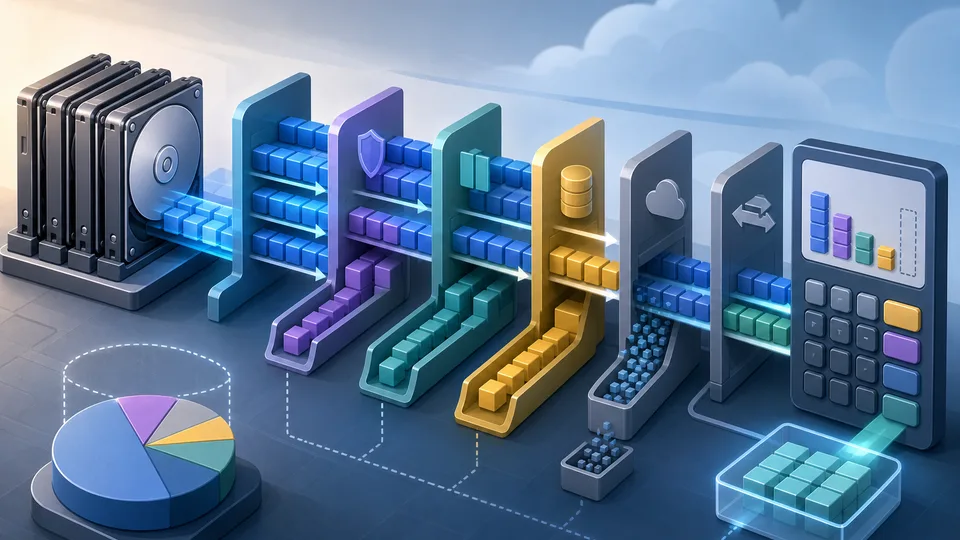
Storage planning can feel strangely disappointing. The drive boxes promise a clean amount of capacity, but the number that appears after the array is built is usually smaller. Some of that difference is unit conversion. Some of it is parity, mirroring, hot spares, filesystem reserve, snapshots, and the way a storage system protects itself.
That smaller number is not necessarily a problem. The problem is finding it out after the drives have been ordered. A RAID plan should start with raw capacity, then deliberately remove the capacity that will not be available for ordinary files.
The RAID Usable Capacity Calculator helps estimate usable storage from drive count, drive size, RAID level, hot spares, and filesystem overhead. It works well beside the Data Storage Converter when TB and TiB are causing confusion, and the Cloud Cost Estimator when local storage and hosted storage are being compared.
Raw drive capacity is only the starting point
Raw capacity is the simple multiplication: number of drives times labelled drive size. Six 8 TB drives look like 48 TB before anything else happens. That is useful, but it is not the same as usable RAID capacity.
The usable number depends on the layout. RAID 0 uses all active drive capacity in a simplified capacity model, but it does not reserve space for parity or mirrors. RAID 1 mirrors data. RAID 5 reserves one active drive worth of capacity for parity. RAID 6 reserves two. RAID 10 uses mirrored pairs, so the usable amount is roughly half of the active drives.
Hot spares should be removed before the RAID maths
A hot spare is valuable because it can be ready for rebuild when an active drive fails. But it is not part of the active storage pool. If six drives are installed and one is assigned as a hot spare, the array capacity should normally be calculated from five active drives.
This is an easy place to overestimate. A spare drive sits in the same chassis, costs the same money, and may appear in the same hardware list. For usable capacity, it should be held aside before parity or mirror calculations begin.
Parity is protection, not free space
Parity lets an array recover data when a drive fails, depending on the RAID level and failure pattern. The capacity used for parity is not available as ordinary file storage.
In a simplified RAID 5 model, one active drive worth of capacity is reserved for parity. In RAID 6, two active drives worth are reserved. That means a larger array can still lose a meaningful amount of capacity before the filesystem is even considered.
This is why comparing only raw drive totals can be misleading. Two arrays with the same raw capacity can produce different usable capacity if one uses RAID 5, one uses RAID 6, and another uses RAID 10.
Mirroring changes the question
RAID 1 and RAID 10 protect data by keeping mirrored copies. That usually makes the capacity trade-off easier to understand: some drives are used to hold copies rather than extra unique data.
For RAID 10, complete mirrored pairs matter. If the active drive count is odd, a simplified calculator may round down to complete pairs. That is not a fault in the tool. It is a reminder that layout rules can matter as much as drive count.
TB and TiB are not the same number
Drive manufacturers usually describe capacity using decimal units. Operating systems and storage tools may show binary units. A decimal terabyte is 1,000,000,000,000 bytes. A tebibyte is 1,099,511,627,776 bytes.
That difference means a capacity number can look smaller after conversion even before RAID overhead is applied. It is not lost space in the practical sense. It is a different unit system. The calculator shows both decimal and binary results so the difference is visible instead of mysterious.
Filesystem reserve can be real
After the RAID layout, a storage system may still reserve space for metadata, formatting, snapshots, pool management, spare blocks, or filesystem behaviour. The exact amount depends on the system.
For early planning, a small filesystem overhead percentage can keep the estimate from being too optimistic. It will not replicate every NAS, SAN, ZFS, Btrfs, hardware RAID, or appliance rule, but it makes the model more realistic than raw capacity alone.
A worked example
Suppose there are six 8 TB drives. The raw installed capacity is 48 TB. If one drive is a hot spare, five active drives remain.
With RAID 6, two active drives are reserved for parity. That leaves three drives worth of usable capacity before filesystem reserve, or 24 TB in decimal terms. If a 3% reserve is applied, the estimate drops again. Displayed in TiB, the final number will look smaller still because binary units are larger.
The useful part of the example is not the exact number. It is the sequence. Count active drives, apply RAID level, subtract reserve, then compare units.
Capacity is not the same as backup
RAID can improve availability and protect against some drive failures, but it is not backup. It does not protect against accidental deletion, ransomware, corruption, theft, fire, controller failure, mistaken rebuilds, or a restore process that was never tested.
This distinction matters because usable capacity planning can tempt people to spend every drive on the array. A better storage plan also asks where backups live, how restores are tested, and whether important data exists in more than one place.
Performance and rebuild risk are separate questions
A capacity calculator does not benchmark performance, choose disk models, measure rebuild time, predict simultaneous drive failures, or design a full storage architecture. Those questions need controller, workload, filesystem, drive, enclosure, and backup context.
Capacity is still worth estimating first because it decides whether the proposed hardware can hold the data. But it should not be the only decision point.
When local RAID should be compared with cloud storage
For some teams, a local RAID array is a working storage pool. For others, it is an archive, backup target, media library, or staging system. Cloud storage may be cheaper, dearer, easier, or harder depending on data volume, retrieval needs, traffic, retention, and operations.
If the decision is local storage versus hosted storage, estimate the usable local capacity first. Then compare that with hosted storage costs, transfer patterns, and backup needs. A raw 48 TB drive shelf is not the same as 48 TB of usable, protected, backed-up storage.
Checklist before buying drives
Before ordering hardware, check the drive count, drive size, unit system, RAID level, number of hot spares, expected filesystem reserve, backup destination, restore plan, enclosure limits, controller support, and future expansion path.
Also check whether the smallest drive in the set limits the array. Mixed drive sizes can create capacity waste in many layouts. If the calculator assumes equal drives, keep that assumption visible.
What this should not claim
A RAID capacity estimate cannot guarantee vendor behaviour, rebuild safety, performance, reliability, compression savings, deduplication savings, snapshot growth, or backup success. It uses the assumptions entered.
Use it to avoid the common surprise: buying a set of drives, building a protected array, and realising the usable number is much lower than the labels suggested. A good storage plan is not the one with the biggest raw number. It is the one where the usable number, protection trade-off, and backup plan are all understood before the money is spent.