
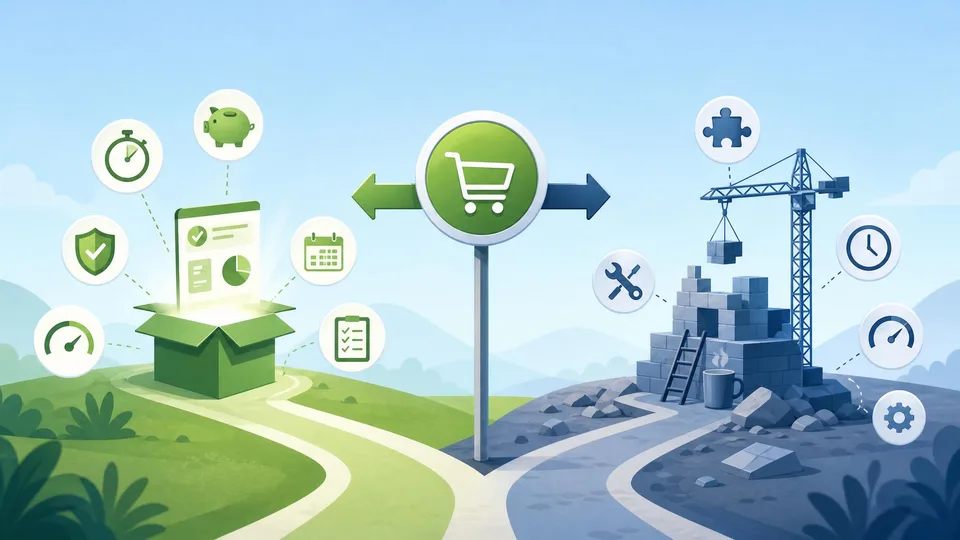
Buying wins when speed, vendor R&D scale, and certainty beat custom fit you do not yet need.
Build makes sense for core differentiation. For CRM, billing, analytics, and auth, commercial tools usually reach value in weeks while internal builds burn runway.
It belongs in our small business finance growth guide, alongside should you build or buy software and why building more features hurts your business. Use the burn rate calculator when you want to model your own numbers.
Speed
The most straightforward argument for buying is time to value. Commercial software can typically be deployed in days to weeks. Custom software takes months minimum and often longer. In contexts where the speed of deployment matters — launching a new product, replacing a broken process under time pressure, entering a new market — the commercial option delivers value while the custom build is still in specification.
Speed advantage compounds over time. While the custom build team is developing version one, the commercial software vendor is releasing improvements, adding integrations, and responding to market feedback from their full customer base. By the time the custom build launches, the commercial alternative may have shipped six months of updates. The custom solution launches behind the commercial option in terms of feature maturity, and the gap is unlikely to close given the relative investment each side is making.
The exception is when commercial options genuinely do not exist for the specific need. For truly novel requirements with no commercial equivalent — proprietary processes, unique data structures, competitive differentiation that requires specific technology — building is necessary because buying is not an option. But this condition is much rarer than teams claim. Most "unique" requirements turn out to be addressable by commercial software with configuration and integration work that is substantially cheaper than building.
Cost Efficiency
Buying is cost-efficient when the commercial solution is adequate for the requirement, and this condition applies in the majority of non-core software decisions. Core software — the primary product that the business sells — usually requires custom development because it is the source of competitive differentiation. Supporting software — CRM, HR, accounting, project management, analytics, communication tools — almost always has commercial alternatives that cover the requirement at a fraction of custom build cost.
The cost efficiency of buying increases with scale. A SaaS product charging £500/month provides infrastructure, support, security maintenance, and continuous improvement for that fee. The equivalent custom system requires dedicated engineering time to maintain — at a cost that does not reduce as the business grows, unlike a subscription that scales modestly with headcount or usage.
Use the Build vs Buy Software Calculator to model the total cost of ownership for both options over three to five years, including realistic build delays and ongoing maintenance costs. For most supporting software decisions, the crossover point where building becomes cheaper than buying is beyond five years — and by year five, the commercial product will have evolved considerably while the custom build will have accumulated technical debt.
Scalability
Commercial software scales with the vendor's infrastructure investment, which is typically much larger than any single customer can justify. A commercial data platform handling millions of transactions per day has been architected for scale by a team whose entire focus is that problem. A custom internal tool built by a two-person engineering team has been architected for the scale that was visible at build time — and scaling it beyond that requires refactoring investment that was not in the original build budget.
The scalability argument for buying is most compelling in infrastructure-adjacent categories: data storage and processing, authentication and security, email and communication delivery, payment processing, and search. These are categories where the technical requirements escalate significantly at scale, the failure modes are serious (security breaches, data loss, payment failures), and the vendor's scale advantage is most pronounced.
The conditions where building is genuinely the better choice: the requirement is core to competitive differentiation and no commercial equivalent exists; the volume and specificity of customisation required would make the commercial solution unrecognisable; the organisation has the engineering capacity to build and maintain without opportunity cost damage; and the long-term total cost of building is demonstrably lower than buying at the scale expected. When all four conditions are met, build. When any are absent, buy.
Worked example: buy vs build CRM over three years
SaaS CRM: £600/month + £4,000 implementation = £11,200 year one, ~£7,200/year after. Custom build: four engineer-months (£38,000) + £12,000/year maintenance. Year-one buy saves ~£26,800 cash.
Opportunity cost: those four months not spent on core product might delay a revenue feature worth £15,000 MRR. Delay cost swamps licence fees.
At year three, bought CRM includes mobile apps, security patches, and integrations; custom build still needs a dedicated maintainer. Buy unless CRM workflows are your competitive moat.
Document the decision in writing so scope creep on a custom build does not restart mid-year without a fresh TCO review.
Check results in the startup runway calculator and see are product features worth the cost for related guidance.
What to do next
- Classify tools as core vs supporting.
- Compare three-year TCO for buy vs build.
- Stress-test build estimates at 1.5–2× timeline.
- Pilot commercial tool on one team for 30 days.
- Track burn impact in the burn rate and runway calculators.
This article is for general planning and education — not professional financial, tax, or legal advice. Figures are illustrative; check current terms and your own numbers before acting.
Frequently asked questions
When is building clearly right?
When the workflow is unique IP, no vendor meets compliance needs, or integration cost exceeds build — with capacity to maintain.
Are cheap tools false economy?
If they create data silos or fail security review, yes. TCO includes switching cost.
How do we avoid vendor lock-in?
Export paths, contract terms, and modular integrations — not infinite customisation of one vendor.
Should startups ever build internal tools?
Only when the tool is the product or blocking growth this quarter.
What about open source?
Often buy-plus-self-host: you pay in engineering time instead of licence — still count maintenance.