
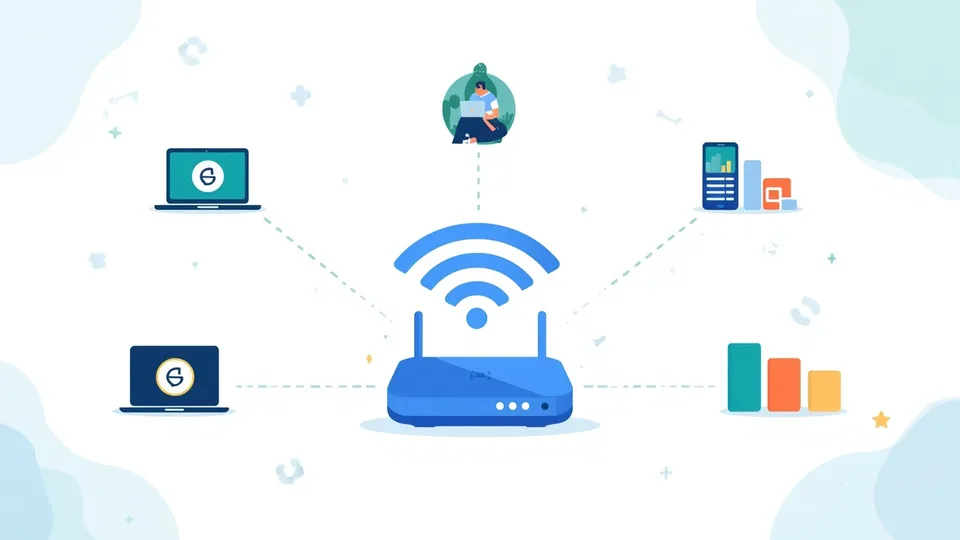
I upgraded my broadband package to get faster speeds and then noticed almost no practical difference. The marketed speed was nearly double my previous package. The reason it made so little difference in practice came down to the specific types of activities I was doing: most tasks are bottlenecked by the server at the other end, or by factors on my home network, rather than the raw headline speed. Understanding what internet speed numbers actually mean — and which ones correspond to the activities that actually matter in daily use — changed how I thought about broadband comparisons entirely.
Your broadband provider promises "ultrafast speeds up to 900Mbps" and you nod along assuming your files will download quickly. Then a 4GB game update takes an hour — and a download time calculator shows you exactly how long any file will take at your actual sustained speed. The gap between advertised speed and experience comes down to a few specific, entirely explainable factors.
Bits vs Bytes: The First Confusion
Internet speeds are measured in bits per second. File sizes are measured in bytes. 8 bits = 1 byte. A 100 Megabit per second (100 Mbps) connection transfers 12.5 Megabytes per second (MB/s). To convert: Mbps ÷ 8 = MB/s. Our data storage converter handles all these unit conversions. Our time calculator helps convert download time estimates to hours and minutes.
Download Time Formula
File size (bits) ÷ download speed (bits/second) = download time (seconds). Example: 5 GB file on 100 Mbps: 5 GB = 40,000 Mb ÷ 100 Mbps = 400 seconds ≈ 6.7 minutes (theoretical maximum under perfect conditions).
Why "Up to" Speeds Are Misleading
Your actual speed depends on: network congestion during peak hours | distance from the street cabinet (FTTC speeds degrade with distance) | Wi-Fi interference (often the real bottleneck, not the broadband line) | server capacity at the download source | quality of your router. ASA rules require ISPs to advertise speeds that at least 50% of customers achieve during peak hours — but the "up to" figure remains optimistic.
What Speed Do You Actually Need?
- HD streaming (Netflix): 5-10 Mbps per stream
- 4K streaming: 25 Mbps per stream
- HD video calls: 3-5 Mbps per person
- General browsing: 10-20 Mbps is comfortable
- Household of 4, multiple simultaneous streams: 80-150 Mbps is comfortable
Upload Speed: Often Forgotten
Most broadband is asymmetric — download is much higher than upload. For video calls, uploading large files, or working from home intensively, upload speed matters significantly. Check your plan's upload speed explicitly — it's not always advertised prominently.
What Your Speed Supports
Numbers alone don't tell you much. Our internet speed calculator takes your Mbps figure and shows exactly which activities it supports — HD video calls, 4K streaming, gaming, cloud work — along with download time estimates for common file sizes and a plain-language recommendation for your household size.
Test Your Actual Speed
Run a speed test (Speedtest.net, Fast.com, or your ISP's tool) from a device connected by Ethernet cable — not Wi-Fi — for an accurate reading. If results consistently fall far below the quoted package speed, you may have grounds to complain or switch under Ofcom's Automatic Compensation Scheme.
Further reading: Ofcom covers consumer broadband rights, speed claims, and how to complain. Read Ofcom's guide to broadband speeds and your rights.
Upload vs Download: The Asymmetry Your ISP Underplays
Consumer broadband packages are almost always asymmetric: download speed is much higher than upload speed. A typical "100Mbps" package might offer 100Mbps download and 10–20Mbps upload. For most historical usage patterns — streaming video, browsing, downloading files — this asymmetry did not matter because traffic was predominantly inbound. Remote working, video conferencing, cloud backup, and content creation have changed that calculation significantly. A video call simultaneously uploads your video stream and downloads the other participants'. A 10Mbps upload cap produces noticeably worse call quality under the same conditions as a 30Mbps upload, because the upload bottleneck affects what the other party sees even when your download side is fine. When evaluating broadband packages for a working-from-home context, upload speed deserves at least as much scrutiny as download speed.
What "Up to" Actually Means in Broadband Advertising
The phrase "speeds up to" in broadband advertising means the maximum possible speed under optimal conditions, which the regulator Ofcom requires to be achievable by at least 50% of customers at peak time. This is a lower bar than it sounds. Half of customers can receive less than the advertised speed during peak hours, legally. The more useful figure — which providers are required to give you on request before you sign up — is the estimated range of speeds your specific line can achieve, based on your address and the technology being used. Fibre-to-the-cabinet (FTTC) speeds degrade with distance from the cabinet; fibre-to-the-premises (FTTP) does not. If the gap between your advertised speed and what a speed test shows is larger than 20–25%, a call to your provider is warranted — and if the issue persists, you have grounds under Ofcom's automatic compensation scheme to exit the contract without penalty.