
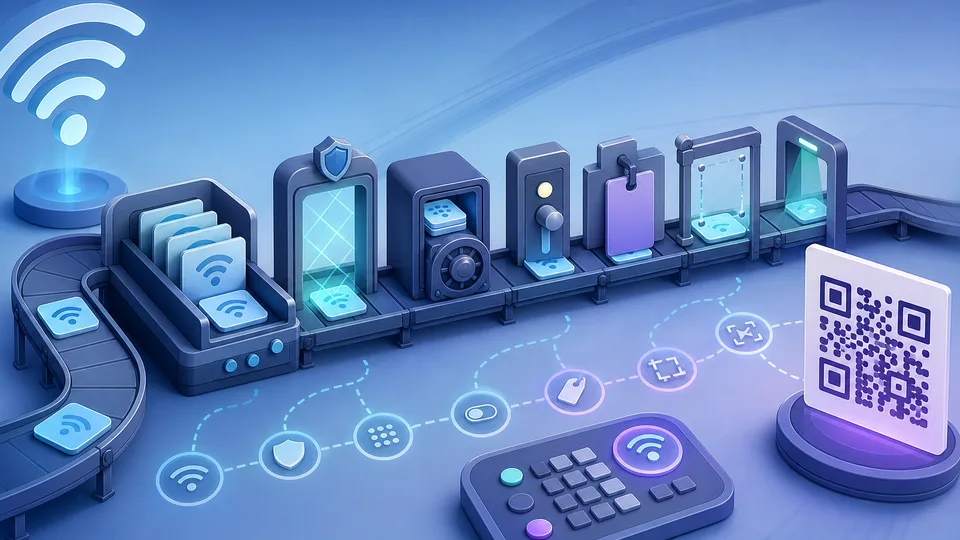
A WiFi QR code is useful only when it scans cleanly and connects people to the right network. If the network name is wrong, the encryption type is mismatched, the password has a copied character error, or the code is printed too small, the QR code becomes a support problem.
Good WiFi QR planning separates network name, encryption type, password handling, hidden-network choice, label context, print size, and scan testing before the code is shared with guests, teams, customers, or event attendees.
The WiFi QR Code Generator helps prepare a WiFi-specific QR payload from manual network details. It pairs with the QR Code Customizer Calculator for general QR planning and the WCAG Contrast Checker Calculator when color contrast could affect printed clarity.
Network name needs exact handling
The SSID is the network name. It needs to match the actual network exactly, including spaces, punctuation, and capitalization where relevant. A friendly label on a poster can be simplified, but the encoded network name should not be guessed.
Check the network name from the router, device settings, or trusted admin source before creating the code.
Encryption type matters
WiFi QR payloads include the security type. If the code says the wrong type, scanning may fail or lead to confusion. Open networks, WPA-style networks, and other configurations need different assumptions.
Do not choose the type from memory if the network is important. Verify it before sharing access.
Passwords need careful copying
WiFi passwords often contain mixed case, symbols, numbers, and characters that are easy to confuse. One wrong character breaks the code. Copying from a trusted source is safer than retyping.
Because the QR code can reveal access details to anyone who scans it, decide where the code should be displayed and whether the network should be a guest network.
Hidden networks need a clear choice
Some networks are hidden and do not broadcast their name. WiFi QR payloads can include a hidden-network flag. That setting should match the real network behavior.
If the network is not hidden, do not mark it hidden. If it is hidden, make sure users understand what the QR code is for.
Labels reduce confusion
A QR code with no label asks people to trust a square. Add a simple label: Guest WiFi, Staff WiFi, Event WiFi, or Office Network. The label should explain the action without exposing the password in plain text.
Labels also help you manage several codes. A dated or location-specific label prevents old codes from being reused accidentally.
Print size and quiet zone matter
A WiFi QR code may be scanned from a table card, wall sign, welcome sheet, or reception desk. Size, distance, lighting, paper quality, and quiet-zone margin all affect scanning.
Test the printed version at the actual size. A code that works on screen may fail when printed too small or placed on a busy background.
Guest networks are usually better
A WiFi QR code makes joining a network easier, so the network choice matters. In many homes, offices, venues, and events, a guest network is safer and easier to manage than sharing the main network.
A guest network can be changed, limited, or retired with less disruption. The QR code should point to the network people are meant to use, not whatever network happens to be easiest to copy.
Do not expose passwords unnecessarily
A QR code can hide the password from casual view, but it does not make the password secret. Anyone with access to the code may be able to recover the network details. Treat the printed or shared code as access information.
Place it where the intended audience can use it and where unintended access is acceptable. If access should expire, plan password rotation or code replacement.
Use plain labels and context
A label should tell people what the code does. It can also include simple context such as guest access, meeting room, event day, or reception area. Avoid putting sensitive details in the label.
Good labels reduce support questions. They also help staff identify which code belongs to which network if several exist.
Plan for reprints and rotation
WiFi details change. Passwords rotate, guest networks are renamed, venues move, events end, and old signs remain in drawers. Keep a source record of which QR code was created from which network details and when.
If a code is printed in several places, note where those copies live. That makes replacement easier when the password changes.
Scan with more than one device
Different phones and camera apps can behave differently. Test the QR code with more than one device if it will be used by many people. Test in the same lighting and at the same distance expected in real use.
For printed signs, test the final printed version rather than only the screen preview.
Keep design secondary to scanning
Brand colors, decorative frames, and background textures can make a code look more polished, but scanning reliability comes first. Maintain contrast, quiet zone, and size before styling.
If the code is mission-critical, simple is often better than decorative.
Example: event guest WiFi
For an event, the QR code might use a dedicated guest network, a temporary password, a clear label, and a table-card print size. The code should be tested from the distance people will scan it and replaced after the event if the password expires.
This is different from a private office code that might live at reception for months. The planning context changes the right choices.
Keep a fallback visible
Some guests may have devices that do not scan WiFi QR codes reliably. Keep a fallback method available, such as staff assistance or a separate printed network name and password where appropriate.
A QR code should reduce friction, not become the only path when access matters.
Review after network changes
Any router change, password update, SSID change, or security setting update can invalidate old QR codes. Treat QR codes as network documentation that needs maintenance.
If a guest says the code stopped working, check the network details before reprinting the same artwork.
Do not reuse codes without checking
A WiFi QR code from one site, floor, router, or event should not be reused casually. The label may look generic while the encoded details are specific. Reusing it can send people to the wrong network or expose an old password.
Before reusing artwork, regenerate or decode the payload and confirm the details still match the intended network.
Store the source details securely
If the QR code needs to be recreated later, someone needs the source details. Store them according to your normal password and network access practices, not in an exposed design file.
The artwork and the network secret should not be treated as the same kind of asset.
Decode old codes before trusting them
If you inherit a WiFi QR sign, decode it before assuming it is current. The visible label may not match the encoded network details.
Old codes are common in offices, rentals, and event kits.
What this should not claim
A WiFi QR generator does not secure the network, rotate passwords, manage router settings, guarantee scanner compatibility, or decide whether a network should be public. It prepares a QR payload from the details entered.
That preparation still matters. Before network sharing breaks, a planned WiFi QR code makes access easier and support questions less likely.